To claim a Sponsored spot on BestAdAgency, open the claim form on the Get listed page, pick a ranking, choose position #1, #2 or #3, enter your bid (minimum $1), add your company name, link, a one-line pitch and email, accept the rules, and pay with Stripe. Your spot goes live the minute you pay and runs 30 days.
This is the full walkthrough, screen by screen. I wrote it so you know exactly what you are buying before you click anything.
What is a Sponsored spot on BestAdAgency?
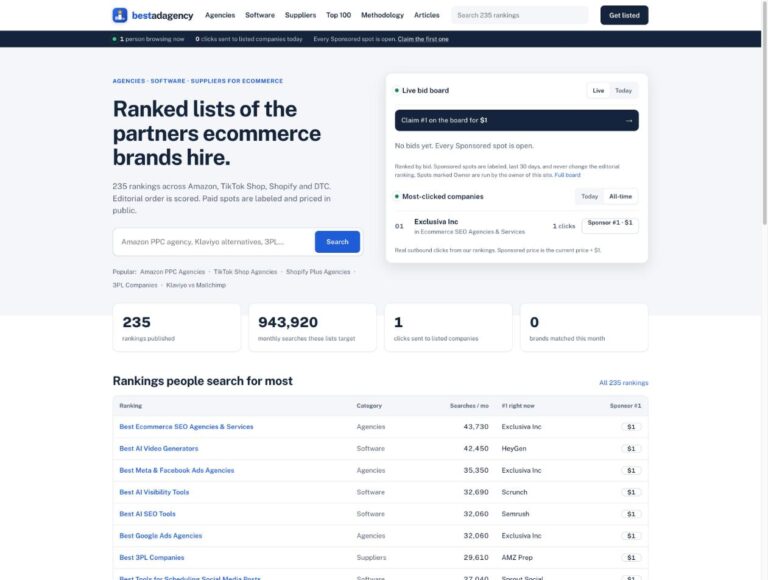
BestAdAgency publishes 235 rankings of the agencies, software and suppliers ecommerce brands hire. Up to three Sponsored spots sit above each ranking. Each one shows your logo, company name, a one-line pitch of up to 140 characters and a link to your website, labeled “Sponsored”.
A few things a Sponsored spot does not do. It does not change editorial scores, rankings, reviews or ratings. The editorial list below follows the published methodology, and payment never changes a company’s position in it.
Step 1: Where do I find the claim form?
There are three ways in:
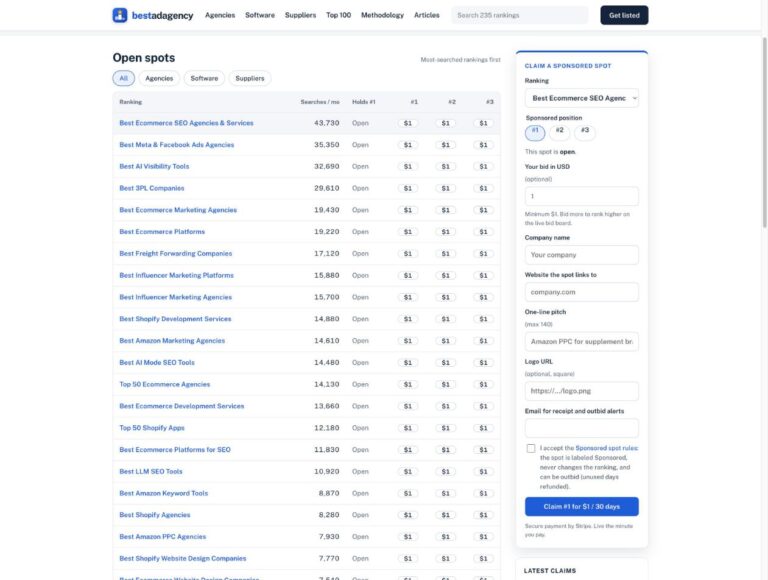
- From the Get listed page. Scroll to the section headed “Claim a Sponsored spot”.
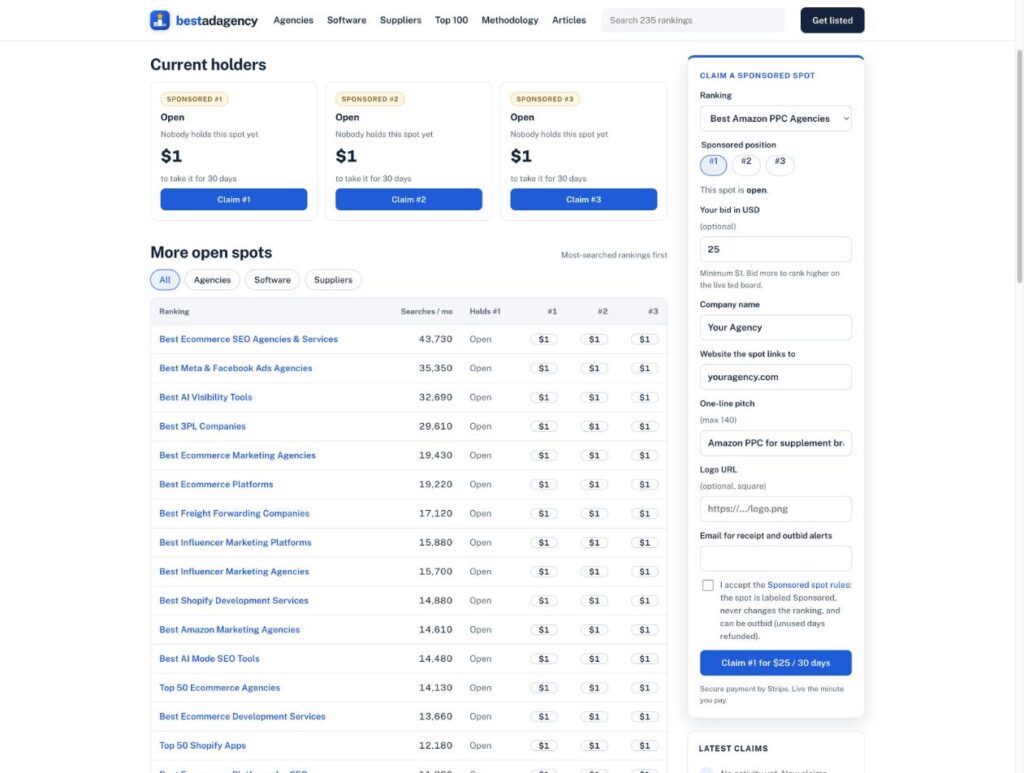
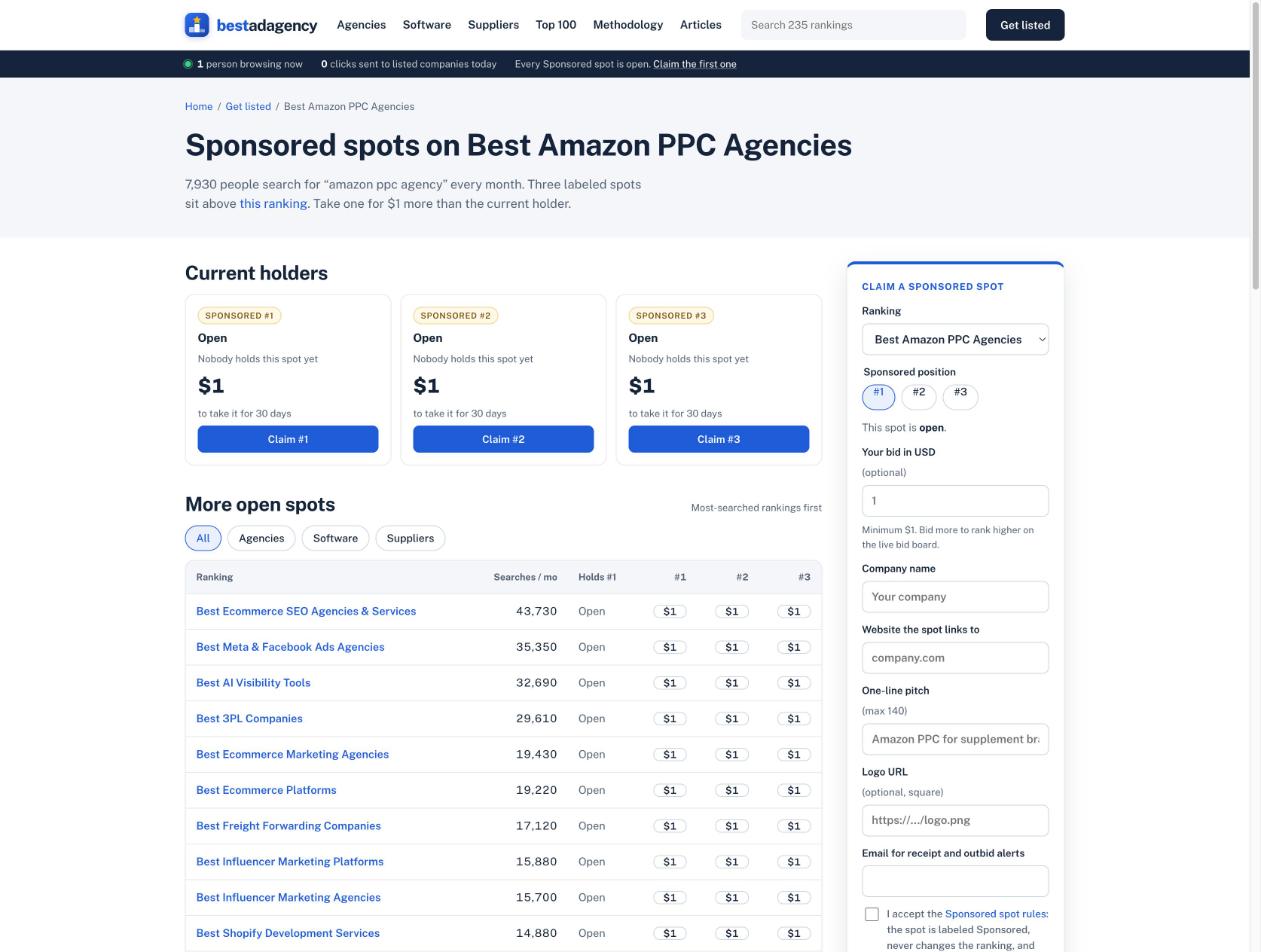
- From a ranking’s Sponsored spots page. Every ranking has one under /outbid/. For example, the Amazon PPC agencies list has its spots at /outbid/best-amazon-ppc-agencies/, showing Sponsored #1, #2 and #3 with their current prices.
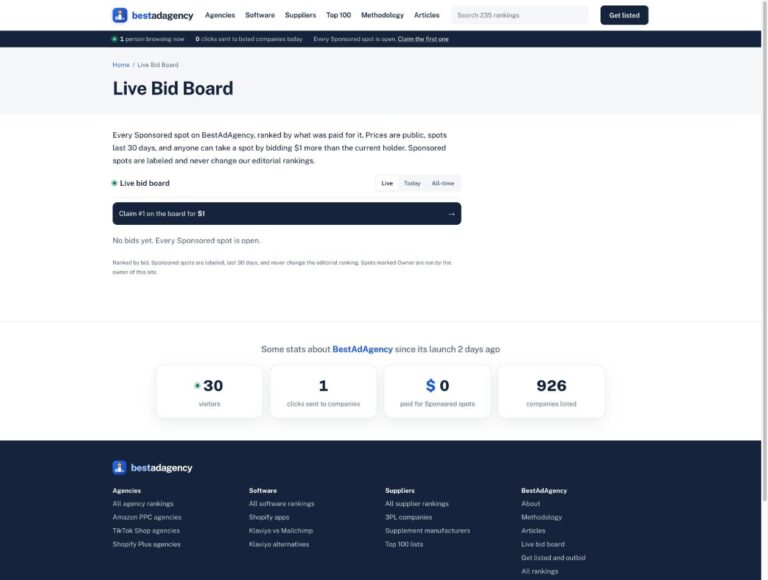
- From the live bid board. The “Claim #1 on the board” button opens the claim form with the bid needed to top the board.
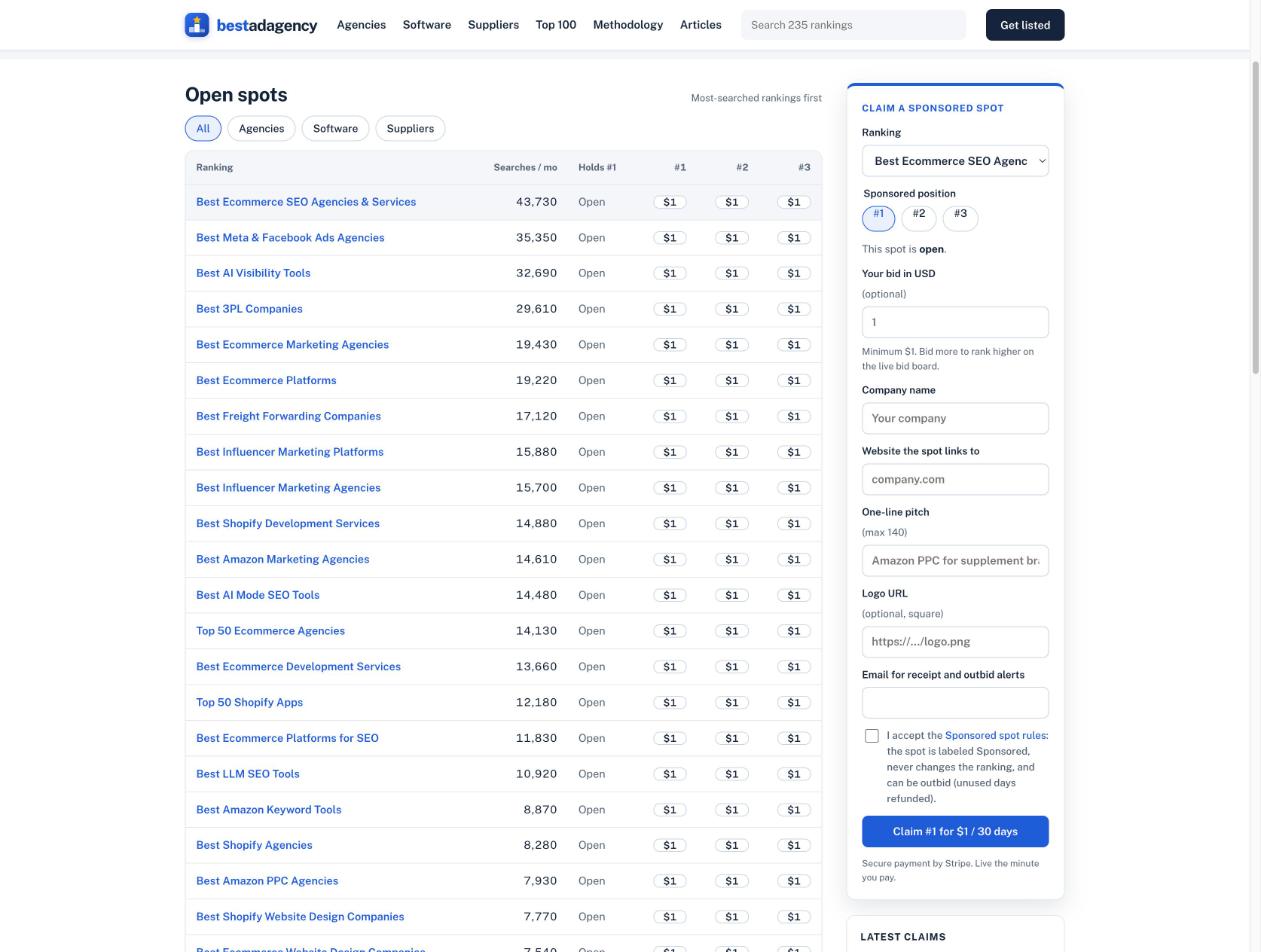
The Get listed page also has an open spots table. It lists each ranking with its searches per month, who holds #1, and the price of #1, #2 and #3. It is the fastest way to compare lists.
Step 2: How do I pick the right ranking?
Pick the list your buyers actually read. Relevance beats size. A spot above a list that matches your service puts you in front of brands already comparing exactly what you sell.
The open spots table shows each list’s monthly searches, so you can weigh relevance against reach. A few examples from the table today: Best Ecommerce SEO Agencies & Services targets 43,730 searches a month, Best Meta & Facebook Ads Agencies 35,350, and Best Amazon PPC Agencies 7,930.
Starting prices scale with each list’s monthly searches and cost per click (Semrush, US). During launch, every open spot starts at $1.
Step 3: Which position should I choose?
Choose #1, #2 or #3. All three sit above the ranking and carry the same “Sponsored” label. The difference is order.
If a position is open, you pay the listed starting price. If it is held, you take it by paying the current holder’s price plus the increment, normally $1. The current holder and price for each position are public on the ranking’s Sponsored spots page.
Step 4: What does the bid field do?
The bid field is optional, with a $1 minimum. You can bid more than the minimum.
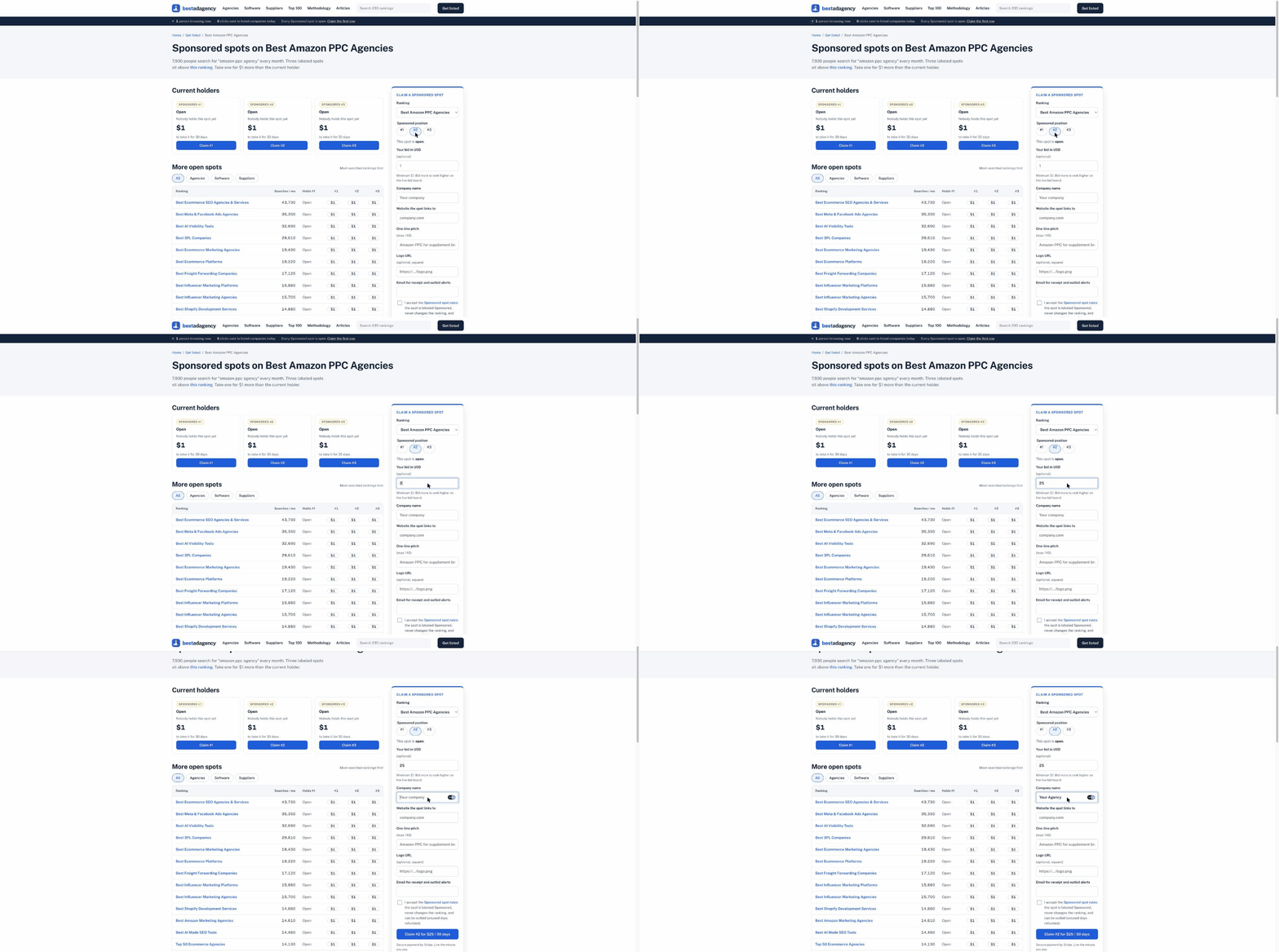
Your bid does two things. It is what you pay for the spot. It also sets your rank on the live bid board, which lists every Sponsored spot on the site ordered by bid. Higher bids rank higher on the board.
As you type a bid, the submit button updates to show the price. With the default it reads “Claim #1 for $1 / 30 days”. The label changes with the position you picked and the amount you entered, so you always see what you will pay before you pay it.
Step 5: What details do I need to fill in?
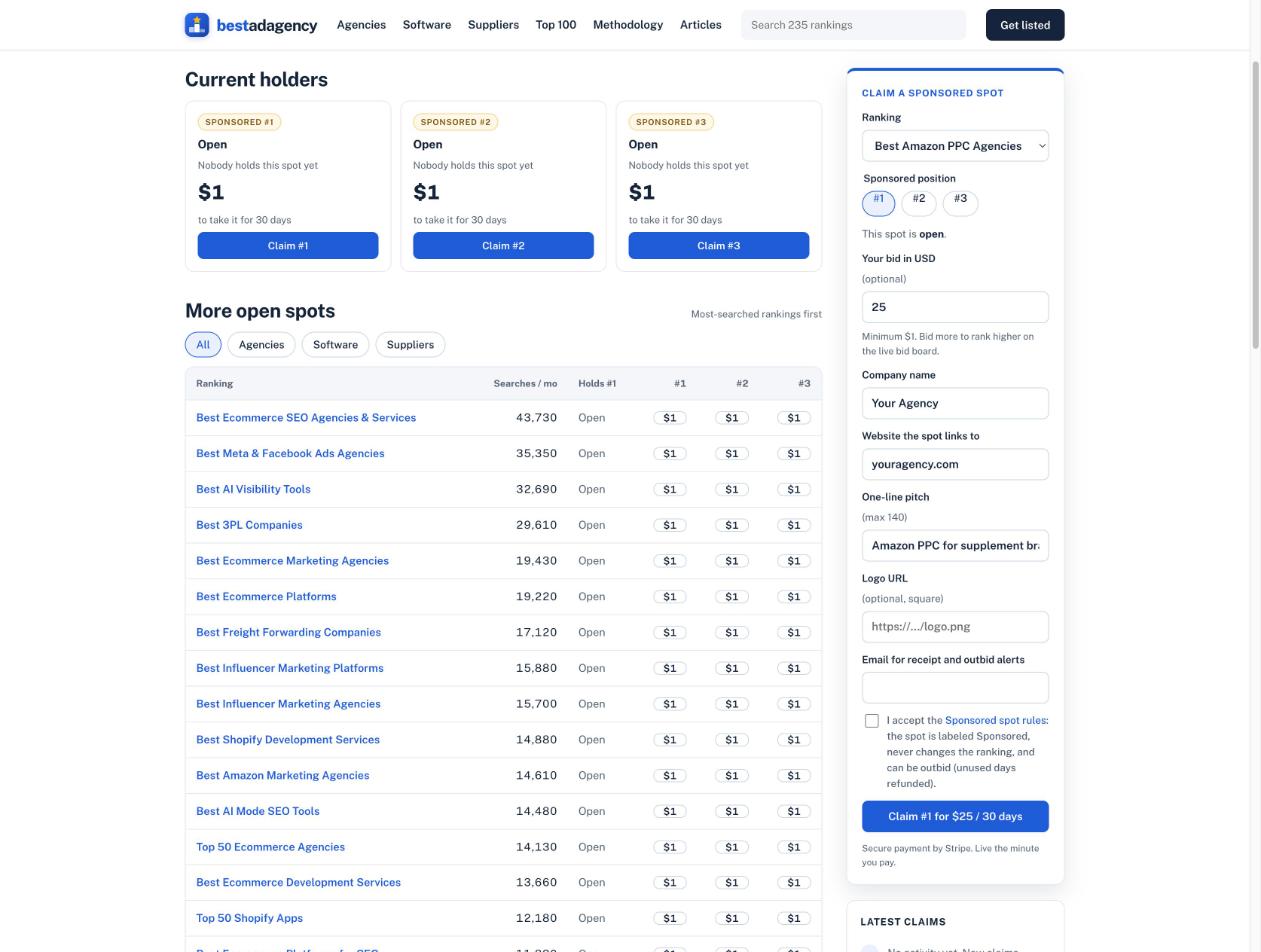
The form asks for:
- Company name
- Website the spot links to
- One-line pitch, up to 140 characters
- Logo URL, optional, square
- Email for receipts and outbid alerts
- A checkbox to accept the Sponsored spot rules
Write the pitch carefully. The rules say pitches must be accurate, must not make unsupported claims, and must not mention competitors. Spots that break these rules may be rejected or removed, with a full refund for unused days. A clear, specific line (“Amazon PPC for supplement brands, flat monthly fee”) does more than a superlative anyway.
Step 6: How does checkout work?
Click the claim button and you go to Stripe checkout. The page says it plainly: secure payment by Stripe, live the minute you pay. Prices are per 30 days, so you pay once for the 30-day term rather than signing up for a contract.
What happens after I pay?
- Your spot goes live right away above the ranking you picked, labeled “Sponsored”.
- It appears on the live bid board, ranked by your bid among every Sponsored spot on the site.
- You get a “Share on X” button once your claim is live, so you can tell your audience where to find you.
- It runs 30 days from payment, unless someone outbids you sooner.
- You get a monthly report of impressions and clicks, per the rules.
What happens if someone outbids me?
Anyone can take your spot by paying your price plus the increment. If that happens:
- You are emailed right away, at the address you entered on the form.
- You can retake the spot at the new price plus the increment.
- Your unused days are refunded pro rata to your original payment method within 10 business days.
So the risk of losing a spot early is the remaining days, and those come back to you.
How do I get the most out of my spot?
A few habits I would use myself:
- Link to a page that matches the list. If your spot sits above an Amazon PPC list, send clicks to your Amazon PPC service page, not your homepage.
- Add a UTM tag to your link. Then your own analytics show exactly what the spot sent you, next to the monthly report.
- Use a square logo. The form asks for one, and it reads better at small sizes.
- Watch your inbox. The outbid alert goes to the email on the form. If the spot matters to you, decide quickly whether to retake it.
Is there anything I cannot do with a Sponsored spot?
You cannot buy a better editorial position. Sponsored spots sit above the list and are visually separate from it. The editorial order is scored on results, specialty fit, pricing transparency and verified reviews.
There is one more restriction worth knowing about: Exclusiva Inc, which owns BestAdAgency, cannot buy a Sponsored spot on any list where it is ranked. Spots run by the owner of the site are marked “Owner” on the board.
FAQ
How much does a Sponsored spot cost?
During launch, every open spot starts at $1 per 30 days. A held spot costs the current holder’s price plus $1. You can bid more than the minimum.
How long does a Sponsored spot last?
30 days from payment, unless someone outbids you sooner. Unused days are refunded pro rata.
How fast does my spot go live?
The minute you pay. Payment is handled by Stripe.
Can I write anything in my pitch?
No. Pitches are up to 140 characters, must be accurate, must not make unsupported claims, and must not mention competitors.
Does a Sponsored spot change my ranking?
No. Sponsored spots never change editorial scores, rankings, reviews or ratings.
Do I need a free profile first?
The claim form does not ask for one. A free profile is separate and makes you eligible for every relevant ranking.
Pick your list
Compare every open spot, its monthly searches and its current price in one table. Claim a Sponsored spot on the Get listed page.